How to manage employee and temporary access without physical keys
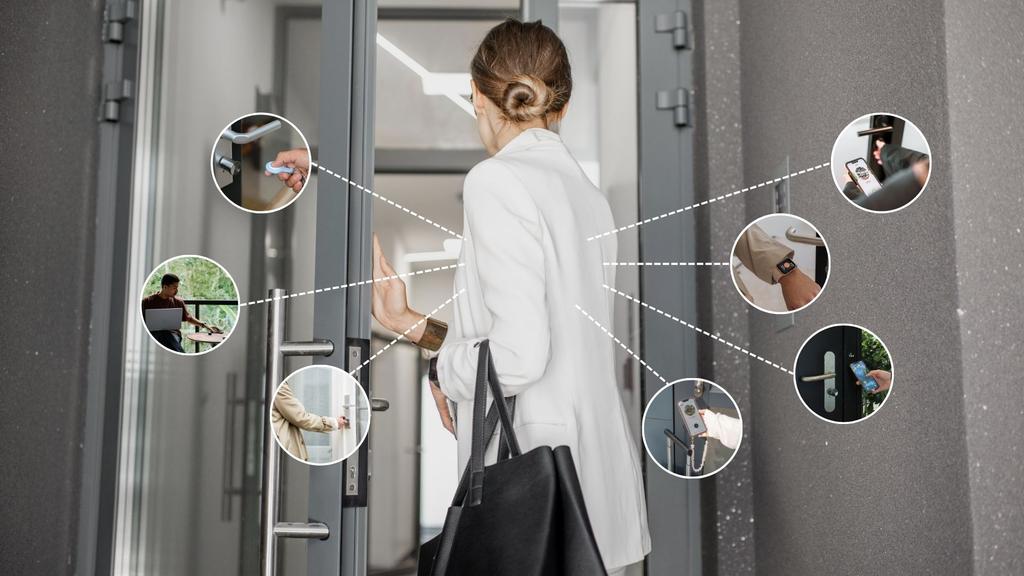
Managing employee, contractor and temporary access is much easier when you no longer rely on physical keys. Instead of handing out physical keys, businesses can use digital access permissions to decide who can enter, which doors they can access, and when their access starts and ends.
This approach is especially useful for (flex) offices, hospitality businesses, property managers, vacation rentals, retail and facility management teams. Employees can receive permanent access, contractors can receive temporary access, and access can be revoked instantly when someone leaves the organisation.
In short, digital access control provides more flexibility, better security and greater visibility than traditional key management.
What is employee and temporary access management?
Employee and temporary access management is the process of controlling who can enter a building or specific area and for how long.
Traditionally, this was done with physical keys. Today, many organisations use smart locks and digital access control systems that allow permissions to be managed through an app or online platform.
Instead of copying keys, administrators can create digital access rights for employees, vendors, contractors or guests. These permissions can be permanent, temporary or scheduled for specific times.
Key terms explained
Digital access control = A system that manages building access through digital permissions rather than physical keys.
Temporary access = Access that automatically expires after a set period.
Scheduled access = Access that only works during predefined dates or times.
Role-based access = Access permissions based on a person's job function or responsibilities.
Why businesses are moving away from physical keys
Physical keys may seem simple, but they become difficult to manage as organisations grow.
When an employee leaves, a key can be returned, but there is no guarantee it was never copied. Lost or unreturned keys can create security risks, while managing access for employees, contractors and temporary visitors often requires significant administrative effort.
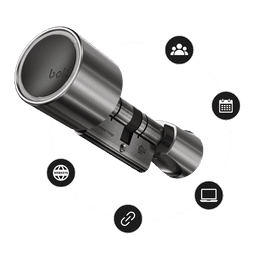
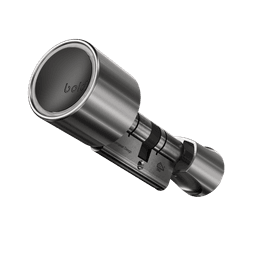
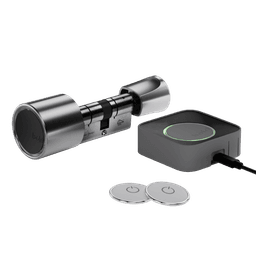
This is why many businesses are moving towards smart locks and digital access control solutions such as Bold. Instead of relying on physical keys, administrators can manage access digitally, giving them more control over who can enter a building and when.
Digital access control helps businesses:
- Grant access remotely
- Schedule access automatically
- Grant or revoke access instantly
- Manage multiple users more efficiently
- Reduce dependency on physical keys
For organisations with multiple employees, locations or external service providers, this creates a more scalable and secure approach to access management.
How scheduled access permissions work
Scheduled access permissions allow administrators to define exactly when someone can enter a building.
For example, a cleaning company may only need access every weekday between 7:00 and 9:00. Instead of providing unrestricted access, the smart lock only accepts their digital key during those hours.
This allows businesses to maintain tighter control while reducing administrative work.
Scheduled access is commonly used for:
- Cleaning services
- Maintenance teams
- Delivery providers
- Temporary employees
- Event staff
- Shared office users
Because permissions can expire automatically, there is less risk of unnecessary long-term access remaining active.
How to revoke employee access immediately
One of the biggest advantages of digital access control is the ability to remove access instantly.
When an employee leaves the company, an administrator can revoke their access through an app or a web portal. The digital key immediately becomes inactive.
With Bold Pro, access can be managed centrally through the webportal, making it easy to revoke permissions for individual users or entire user groups in just a few clicks.
This is particularly valuable for organisations with frequent staff changes, seasonal workers or multiple locations where collecting keys can be time-consuming.
How to give vendors and contractors temporary access
External vendors often require access to a building without needing permanent access rights.
Instead of handing over a physical key, businesses can issue a temporary digital key that only works during a specific time window.
For example:
- An electrician receives access from 09:00 to 12:00.
- A maintenance company receives access every Friday afternoon.
- A delivery partner receives access for a one-time installation.
- Once the assigned period ends, access automatically expires.
With Bold webkeys, providing temporary access becomes even simpler. Instead of asking a contractor or vendor to download an app, you can send them a secure access link. Through this link, they can activate the lock during the period you've assigned, making it a convenient option for one-time visitors or external service providers.
This approach improves security while reducing administrative effort and making access easier for both parties.
How to manage access permissions for different user groups
Not everyone within an organisation needs the same level of access.
A common best practice is to create user groups based on roles or responsibilities.
Examples include:
- Employees
- Managers
- Contractors
- Cleaning teams
- Property managers
- Guests
Each group receives access based on what they need to perform their work.
For example, office employees may only need access during business hours, while managers may require broader access across multiple areas.
Role-based access control simplifies administration and reduces the likelihood of giving users unnecessary permissions.
Managing employee access when staff turnover is high
Businesses with high staff turnover face unique access management challenges.
Retail stores, hospitality businesses, warehouses and service organisations often onboard and offboard employees frequently. Managing physical keys in these environments can become time-consuming and difficult to track.
Digital access management simplifies this process.
Best practices include:
- Using role-based permissions
- Assigning temporary access where appropriate, for example with deliveries
- Removing access immediately during offboarding
- Limiting access to only what is necessary
By following these principles, organisations can maintain stronger security while reducing administrative overhead.
Physical keys vs digital access control
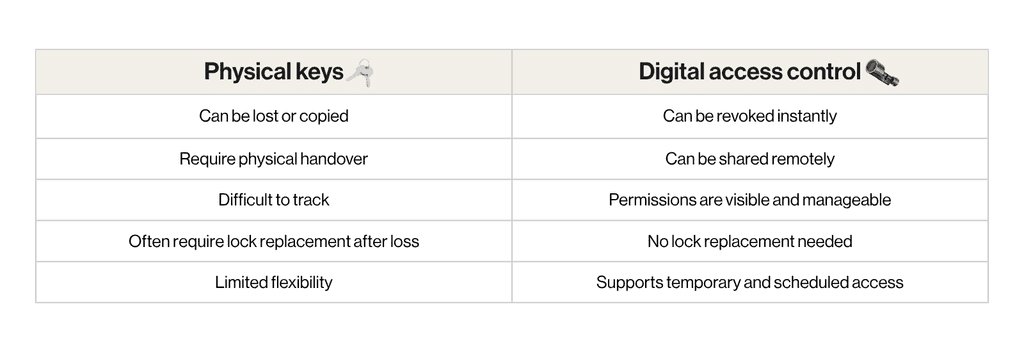
For businesses that regularly manage employees, contractors or guests, digital access control typically offers greater flexibility and operational efficiency.
Real-World Examples
Office environment
Employees receive ongoing access to the office, while cleaning staff receive scheduled evening access. If an employee leaves, access is removed immediately without collecting keys.
Property management and hospitality
Guests receive temporary digital keys that automatically expire after check-out. Maintenance providers receive access only during approved service windows.
These scenarios reduce key handovers while providing greater control over who can enter a property.
Best practices for managing access without physical keys
To maintain security and efficiency, organisations should:
- Give users only the access they need
- Use temporary permissions whenever possible
- Create access groups for recurring roles
- Review permissions regularly
- Remove access immediately when it is no longer required
- Keep administrator privileges limited
- Maintain a documented access policy
A simple rule is to ensure every access permission has a clear purpose, location and expiration point.
How Bold helps
Bold enables businesses to manage access without relying on physical keys. Through digital access sharing, organisations can grant, schedule and revoke access directly from the Bold app.
Employees can receive ongoing access, while temporary users such as contractors, cleaners or service providers can receive time-limited permissions. This helps businesses maintain control without the complexity of traditional key management.
For organisations managing offices, rental properties, hospitality locations or multiple users, Bold Pro offers a practical way to simplify access management while improving visibility and security.