
Physical keys vs digital access control: which is better for modern businesses?
Physical keys are familiar, simple, and low-cost, but they are often a poor fit for modern businesses that need secure, flexible, and traceable access management. Digital access control is usually a better choice for businesses that need visibility into who can enter, manage employee access, coordinate contractors or service providers, or oversee multiple locations. It becomes especially valuable when access needs change regularly and traditional keys become harder to manage.
The main difference is control. A physical key gives access to whoever holds it. A digital key gives access to a specific person, for a specific door, at a specific time, and can be changed or revoked without replacing a lock.
For a small business with one trusted keyholder, physical keys may still be enough. But once keys are shared, copied, lost, or not returned, digital access control becomes a safer and more scalable alternative.
What is physical key management?
Physical key management is the process of issuing, tracking, storing and recovering physical keys used to access business premises. While simple for small organisations, it becomes increasingly difficult to manage as the number of employees, contractors and locations grows.
At first, physical keys feel simple. You hand someone a key, and they can enter. But as a business grows, that simplicity often becomes a risk. More people need access, keys move between employees, copies are made, and it becomes harder to know who can enter which space.
A key register or spreadsheet can help, but it does not solve the main problem: even when keys are tracked, businesses often lack visibility into who actually has access at any given moment. Physical keys can be copied, shared, or misplaced without creating any record.
What is digital access control?
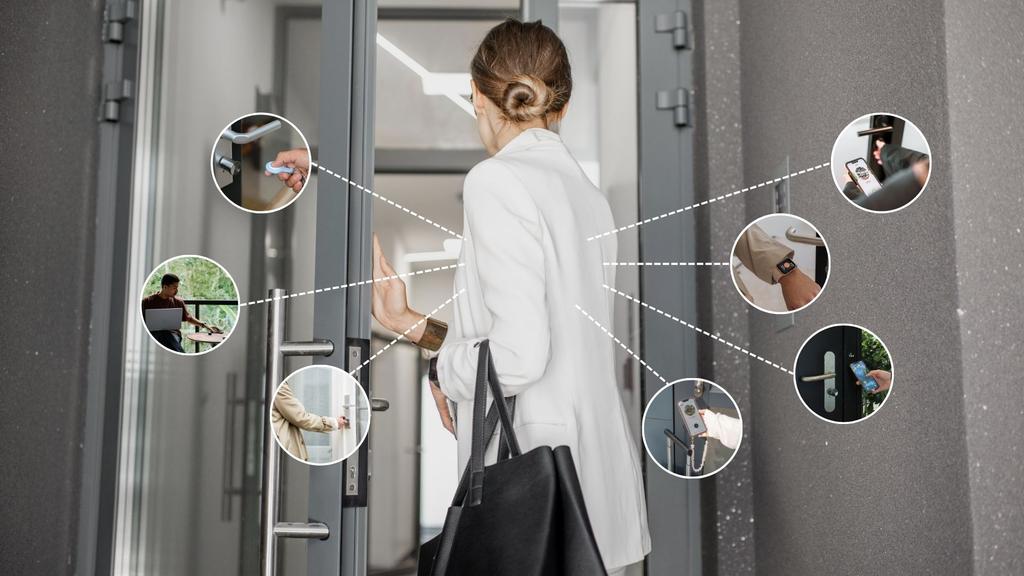
Digital access control is a way to manage entry without relying on traditional physical keys. Instead of handing someone a metal key, a business grants access through a digital method such as a smartphone app, PIN code, badge, fob, web key, or another controlled credential.
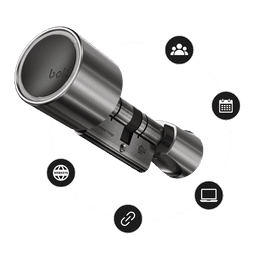
In most systems, access is managed through an app or web portal. An administrator can add or remove users, set access schedules, monitor activity, and, in some cases, manage doors remotely. Solutions such as Bold Pro are built around this model, helping businesses manage access digitally while reducing dependence on physical keys.
The key difference is that a digital key is not a physical object that changes hands. It is a permission assigned to a specific user. That permission can be limited, updated, paused, or revoked without replacing the lock or collecting a key.
For businesses, this shifts access management from a one-time handover to a flexible, ongoing process that can adapt as people, roles, and access needs change.
The risks of using physical keys for business access
Physical keys are not automatically unsafe, but they create several risks that become more serious as the number of users, doors, and locations grows.
1. Lost keys can create a security gap
If an employee loses a key, the business may not know where it ended up. The safest response is often to replace the cylinder or rekey the lock, especially if the key can be linked to the business address.
That creates extra cost, downtime, and operational hassle.
The real issue is not just that a key is lost. The issue is that access remains active for anyone who has the key, regardless of whether they are authorized to use it or obtained it by finding, borrowing, or copying it, until the physical lock is changed.
2. Keys can be copied without permission
One of the biggest risks of physical keys is uncontrolled duplication. Even when a business tells employees not to copy keys, it can be difficult to enforce in practice.
Additional key copies may be made without being recorded, making it harder to know exactly how many keys are in circulation and who has access to the building. Over time, this can create security risks and reduce accountability.
For example, a business may believe it has five keys in circulation when there are actually seven, ten, or more. Once untracked copies exist, it becomes difficult to regain full control without replacing or rekeying the lock.
Digital access control reduces this risk because access is managed through assigned permissions rather than physical copies.
3. Former employees may still have access
When an employee leaves, a manager can ask for the key back. But there is no guarantee that the returned key is the only copy.
This is especially risky in businesses with high staff turnover, temporary workers, seasonal employees, or shared operational roles.
With digital access, a user’s permission can be removed immediately. The business does not need to wait for a key to be returned.
4. There is no reliable access history
A traditional key can't tell you who opened a door or when. If something goes missing, a door is left unlocked, or a restricted area is accessed, physical keys provide little visibility.
For businesses, this lack of auditability can be a serious weakness.
Digital access control can provide activity logs, helping businesses understand who had access and when entry events occurred.
How secure are digital keys compared to physical keys?
Digital keys can be more secure than physical keys when they are managed properly because they give businesses more control over access.
The security advantage of digital access is not only encryption or smart lock technology. It is the ability to manage access dynamically.
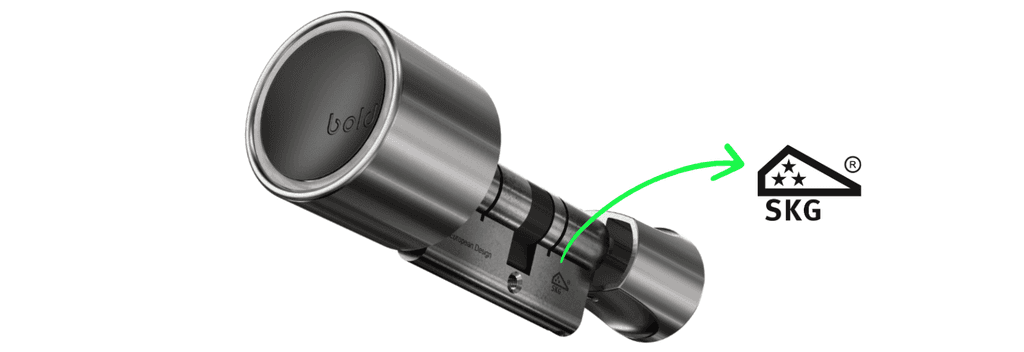
The security of a smart lock also depends on the hardware itself. Some smart lock solutions are added onto an existing lock, which means the underlying cylinder may still determine part of the door's security. Other solutions, such as Bold smart locks, replace the entire cylinder rather than being mounted on top of an existing locking system. This creates a fully integrated solution where both physical and digital security are considered together.
For businesses evaluating smart access systems, it is worth checking whether the lock meets recognised security standards. For example, Bold is SKG*** certified, which is the highest SKG certification level in the Netherlands and indicates strong resistance against common burglary methods.
However, digital access still needs good security practices. Businesses should use strong account protection, remove inactive users, assign permissions carefully, and avoid giving broad access when limited access is enough.
Can digital keys be copied?
Digital keys cannot be copied like physical keys. A physical key can be duplicated and handed to someone else. A digital key is an access permission assigned to a specific user, device, or account.
Because access is managed digitally, businesses can control, update, or revoke permissions without worrying about unauthorized key copies. To maintain security, each user should have their own access and permissions should be reviewed regularly.
When should a business replace physical keys with digital access?
A business should consider replacing physical keys with digital access when key management starts creating security risks, operational delays, or uncertainty about who can enter.
The clearest signs are:
- Employees regularly lose or forget keys
- Former staff may still have copies
- Contractors or cleaners need temporary access
- Managers need to unlock doors remotely
- Multiple people need access to the same door
- The business manages more than one property or location
- There is no clear overview of who has access
- Keys are being copied for convenience
- Access needs differ by role, schedule, or location
- The business needs activity logs for accountability
A useful rule of thumb: if you cannot answer “who can enter this building today?” within a few minutes, your business has outgrown traditional key management.
How do digital keys work for businesses?
Digital keys work by replacing a physical key with a managed access permission.
In practice, the process usually looks like this:
- You install a smart lock yourself in just a few minutes.
- An administrator adds users through an app or web portal.
- Each user receives access through a digital method, such as an app, web key, or assigned permission.
- The administrator defines which doors the user can access.
- Access can be permanent, scheduled, temporary, or role-based.
- When access is no longer needed, the administrator removes or changes the permission.
For example, a cleaner may receive access every Tuesday between 18:00 and 20:00. A contractor may receive temporary access for one week. A facility manager may receive access to multiple doors. A former employee can be removed immediately.
This is why digital keys are especially useful for offices, hospitality businesses, property managers, vacation rentals, shared buildings, and facilities with regular external visitors.
What is the best alternative to copying keys for employees?
The best alternative to copying keys for employees is individual digital access.
Instead of making another physical key every time someone joins the team, a business can assign access digitally. This keeps access personal, traceable, and easier to remove later.
For example, rather than giving five employees copies of the same office key, each employee can have their own digital key. Bold allows businesses to assign and manage access digitally, making it easier to control who can enter and when. If one person leaves, only that person’s access is removed. The business does not need to replace the lock or collect keys from everyone else.
This is especially valuable for growing teams, businesses with part-time staff, and companies that need to separate access by department, location, or role.
Benefits of digital access control for modern businesses
1. Better control over who can enter
Digital access allows businesses to manage access by person, door, time, and role.
This is important because not every user needs the same access. A receptionist may need front door access. A cleaner may need evening access. A maintenance provider may only need access for one day. A manager may need access across multiple locations.
Physical keys make these differences difficult to manage. Digital access makes them part of the system. With Bold Pro, businesses can also organize access more efficiently using device groups and user groups.
2. Faster onboarding and offboarding
New employee? Add access.
Employee leaving? Remove access.
Digital access makes onboarding and offboarding faster because access is not dependent on a physical object being handed over or returned.
3. Less dependence on key handover
Businesses often lose time coordinating key handovers. Someone needs to be on-site to open a door, wait for a visitor, arrange a pickup, or collect a key afterward.
Digital access removes much of this administrative burden. Access can be granted before arrival, adjusted when needed, and revoked instantly once it is no longer required. This reduces delays, improves operational efficiency, and eliminates many of the logistical challenges associated with physical key exchanges.
4. More visibility and accountability
Activity logs can help businesses understand access events. This does not replace trust, but it does improve accountability.
For example, if a door was accessed outside normal hours, a manager can check which user had access. If a supplier says they arrived at a certain time, activity data can help confirm it.
For facility management and property management, this visibility can save time and reduce uncertainty.
5. Better fit for hybrid and flexible work
Modern businesses often have changing work patterns. Employees may work hybrid schedules. Contractors may visit outside office hours. Managers may not always be on-site.Digital access control supports this flexibility better than physical keys.
Instead of giving every possible person a permanent key, access can be adapted to the way people actually use the space.
Challenges of digital access control
Digital access control is often the better option for growing businesses, but it is not perfect. A realistic decision should include the challenges too.
1. Higher initial investment
Digital access usually costs more upfront than copying a physical key. Businesses need to consider hardware, setup, possible connectivity devices, and subscription or management features depending on the system.
However, the comparison should not only be based on upfront cost. Physical keys also create hidden costs: lock replacements, lost time, emergency access issues, manual administration, and security uncertainty.
2. Requires clear access policies
Digital access works best when the business has a clear process.
Questions to consider include:
- Who is allowed to create access?
- Who approves temporary access?
- How often are users reviewed?
- What happens when someone leaves?
- Which areas are restricted?
Without clear policies, a digital system can become messy too.
3. Not every door or business environment has the same requirements
Digital access control is not a one-size-fits-all solution. Different doors, buildings, and business environments often have different security and operational requirements.
For example, a standard office entrance may work well with a smart lock, while a server room, warehouse, laboratory, or regulated facility may require additional security measures. Some locations may also need mechanical backup access, compliance-specific controls, or specialist hardware.
In higher-security environments, digital access is often combined with other systems such as alarms, CCTV cameras, access badges, visitor management tools, or identity verification processes.
The best access solution depends on factors such as the level of security required, the type of building, the number of users, regulatory requirements, and how the space is used on a daily basis.
Real-World Examples
Example 1: Office with employee turnover
A growing office has 25 employees and 12 physical keys in circulation. Two employees recently left, but the business is not fully sure whether all copies were returned.
With physical keys, the safest option may be replacing the cylinder. With digital access, the administrator can remove former employees from the system and keep current employees active.
The benefit is not only security. It is speed and certainty.
Example 2: Vacation rental or short-stay property
A property manager handles multiple guest check-ins each week. Physical keys create problems when guests arrive late, forget to return keys, or need emergency access.
Digital access allows temporary access for each guest stay. The access starts at check-in and ends after check-out.
For hospitality and vacation rentals, this can improve guest experience and reduce operational pressure.
When does digital access make sense for your business?
Use this framework to decide whether digital access control is worth it for your business.
Stay with physical keys if:
- You have one location
- Only one or two trusted people need access
- Access rarely changes
- You do not need activity logs
- There is little risk if a key is lost
- Manual key management is still easy
Consider digital access if:
- More than three people need access
- Access changes regularly
- You work with contractors, cleaners, guests, or temporary staff
- Employees leave and join frequently
- You manage multiple doors or properties
- You need remote access management
- You want to reduce key copying
- You need better visibility into who entered and when
Best practices for business access management
Whether you use physical keys, digital access, or a combination of both, strong access management depends on clear rules.
1. Give the least access needed
Not every person needs access to every door. Give users the access they need to do their job, and no more.
This reduces risk if someone leaves, changes role, or no longer needs access.
2. Review access regularly
Businesses should review access at set intervals. Monthly or quarterly reviews are useful for teams with frequent changes.
Check who still has access, whether their role still requires it, and whether temporary access should be removed.
3. Create an offboarding checklist
When someone leaves the business, access should be removed immediately.
For physical keys, this means collecting keys and considering whether copies may exist. For digital access, this means removing the user from the access system.
4. Separate permanent and temporary access
Permanent staff, short-term workers, guests, and service providers should not all be treated the same.
Temporary access should have an end date. Scheduled access should match actual working hours. Permanent access should be limited to people who truly need it.
How Bold helps businesses manage access
Bold helps businesses move away from physical key management by making access digital, flexible, and easier to control.
Instead of copying keys for employees, contractors, cleaners, guests, or service providers, businesses can assign and revoke access digitally. This is especially useful for offices, hospitality locations, vacation rentals, property managers, and facility management teams.
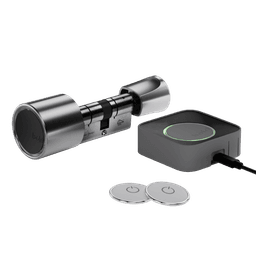
With Bold, businesses can manage who has access, adjust permissions, and use smart access features without relying on traditional key handovers. For companies using Bold Connect, access can also be managed remotely, with visibility into lock activity and user permissions.
The value is practical: fewer physical keys in circulation, less uncertainty when people leave, and more control over who can enter a building.
Bold is not just a replacement for a key. It is a way to make business access easier to manage.
Should your business switch from physical keys to digital access control?
Physical keys still work for simple access needs, but they are often too limited for modern businesses. Once a company has multiple employees, changing teams, external service providers, guests, contractors, or multiple locations, physical keys create avoidable risk and administration.
Digital access control gives businesses a more flexible way to manage entry. Access can be assigned, limited, monitored, and revoked without copying keys or replacing locks every time something changes.
For businesses that want better security, easier access sharing, remote management, and more control over key management, digital access is usually the stronger choice.